
Break a Brainrot Egg Controls
How to move, smash, carry, and open shops without fighting the camera.
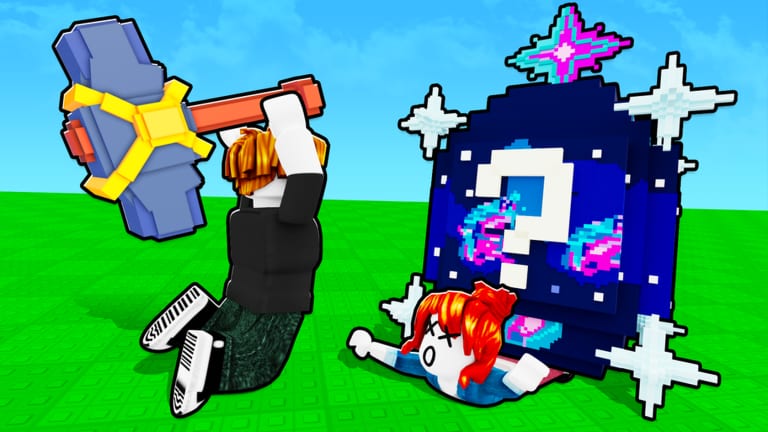
Break a Brainrot Egg uses standard Roblox character controls plus a few HUD panels that are easy to miss on a phone. There is no unique “skill rotation.” If eggs are not taking damage, you are either unequipped, too far away, or swinging the Toy hammer at a block that wants Pirate God. Read this with Getting Started if you have not crossed the starting line yet.
PC
- Move: WASD or arrow keys. Shift sprint if your Roblox settings allow it.
- Camera: right mouse drag, scroll to zoom. A locked camera is why people walk past eggs.
- Jump: Space. Useful for clutter and lucky-block piles, not a parkour game.
- Swing / interact: left click on the egg or block while the hammer is equipped. Hold or click-spam depending on how the live tool is tuned.
- Pick up: walk into the hatched Brainrot or use the on-screen prompt (often E on PC). Carry it — do not start a second break until the unit is on a slot unless you know you can.
- Place: walk onto an empty base pad in the lobby and confirm the prompt.
Unequip happens when you open Roblox’s backpack with ` (backtick) or the backpack GUI. If you suddenly punch with fists, you put the hammer away.
Mobile
Thumb stick on the left, jump on the right, action button when you face an egg. The Hammer shop and Rebirth icon compete with your fingers. Rotate the camera with a drag on empty sky before you start a long carry — walking backward into the field while holding a Secret is how those units vanish into geometry.
Paste is your friend if codes ever ship; see how to redeem. Until then, ignore any mobile tutorial that wants a floating executor overlay.
Console
Move with the left stick, camera with the right, interact with the face button Roblox maps to Activate. The experience supports the usual Roblox device set (the group copy mentions desktop, mobile, console, tablet on sibling games; this place is playable wherever Roblox is). If the swing does nothing, check that the hammer is the equipped tool, not a gear you just bought. Gears like RPG and Bee Launcher are separate tools — swapping to them means you are not breaking eggs until you re-equip the hammer. Rank those on the gear tier list.
HUD that is not a keybind
- Rebirth: left side of the screen. Not a keyboard key. Accidental taps on mobile are expensive; read rebirth first.
- Hammers shop: stand at the stall by the starting line. Proximity UI, not a hotkey.
- Gears shop: same row, locked until prestiges allow rows.
- Mutation machine: lobby interact. Needs two of the same Brainrot.
- Inventory / index: in-experience GUI for units and pets. Pets have their own pets page after the Pets-branded updates.
Carry and steal practicalities
Carrying a Brainrot is a movement puzzle. Other players can intercept the hatch before you pick it up, and some sessions show a giant egg ball that draws a crowd. Speed Coil (a gear) is the closest thing this game has to a “carry keybind.” Invisibility Cloak and Slap exist to contest. None of that replaces looking behind you on a five-player server.
If you drop a unit, look on the grass before you start another egg. If it despawned, that is the run. Do not install a pickup script; the official description bans scripters. Script safety explains why.
Settings worth changing
In Roblox settings, lower graphics if the field stutters when many eggs and Brainrots pile up. A 11-minute average playtime means plenty of players already leave — do not let a 20 FPS camera be the reason. Shift-lock helps hammer tracking on PC. Mobile players should enable the larger tap buttons if the swing misses.
Once inputs feel boring, you are ready for the real decisions: hammers, farm cash, and rare Brainrots. Controls will not hatch a Divine for you.
Frequently Asked Questions
Quick answers to the most common questions.
Why am I not hitting the egg?
Hammer unequipped, too far, or the HP is above your Power. Switch tools at the Hammer shop.
What key picks up a Brainrot?
On PC it is usually the interact key (E) or a walk-over pickup. Mobile uses the on-screen button.
Where is Rebirth on a keyboard?
It is a HUD icon on the left, not a key. Details in the rebirth guide.
Can I play on phone?
Yes. Watch the camera during carries and keep the hammer equipped when you leave a gear tool.